Download a game from Lichess, export one from Chess.com, or receive one from a coach, and it will usually arrive as a .pgn. Because PGN is readable text rather than a proprietary binary file, you can inspect it directly and move it between chess programs. Turning a paper scoresheet into one is the job of a chess PGN converter.
What PGN Stands For
The meaning of PGN in chess is Portable Game Notation. It was designed in the early 1990s to give the chess world a single, human-readable, machine-readable way to record games. The keyword is portable: a PGN file is just text, so it survives being emailed, pasted into a forum, or opened in any text editor. There is no proprietary binary blob and no app lock-in. Open a .pgn file in Notepad or TextEdit and you can read the whole game with your own eyes.
A PGN file can hold a single game or thousands of games stacked one after another; the PGN splitter breaks such a file into one file per game, or merges several into one. Each game has two parts: a block of tags at the top and the movetext below it.
The Anatomy of a PGN File
Here is a complete, correctly formatted PGN for a short game:
[Event "Casual Game"]
[Site "London ENG"]
[Date "1851.06.21"]
[Round "?"]
[White "Adolf Anderssen"]
[Black "Lionel Kieseritzky"]
[Result "1-0"]

1. e4 e5 2. f4 exf4 3. Bc4 Qh4+ 4. Kf1 b5 5. Bxb5 Nf6 6. Nf3 Qh6
7. d3 Nh5 8. Nh4 Qg5 9. Nf5 c6 10. g4 Nf6 11. Rg1 cxb5 12. h4 Qg6
13. h5 Qg5 14. Qf3 Ng8 15. Bxf4 Qf6 16. Nc3 Bc5 17. Nd5 Qxb2
18. Bd6 Bxg1 19. e5 Qxa1+ 20. Ke2 Na6 21. Nxg7+ Kd8 22. Qf6+ Nxf6
23. Be7# 1-0
That is the complete "Immortal Game," all 23 moves of it, in 14 lines of text. Notice the two distinct sections.
The Seven Tag Roster
The bracketed lines at the top are tags, each a name-and-value pair. Seven of them are mandatory and always appear in the same order. This required set is called the Seven Tag Roster:
- Event: the name of the tournament or match (here, a casual game).
- Site: where it was played, often a city and country code.
- Date: the start date in
YYYY.MM.DD form, with ? for unknown digits.
- Round: the round number within the event.
- White: the player with the white pieces, written
Last, First or as a full name.
- Black: the player with the black pieces.
- Result: the outcome:
1-0 (White won), 0-1 (Black won), 1/2-1/2 (draw), or * (unfinished).
Beyond the mandatory seven, PGN allows optional tags such as ECO (opening code), WhiteElo, BlackElo, TimeControl, and FEN (more on that below). Programs ignore tags they do not understand, which is part of why the format has aged so gracefully. If a game arrives without an ECO tag, the chess opening identifier reads the moves and gives the opening name and its code.
The Movetext
Below the blank line comes the movetext: the moves themselves in standard algebraic notation (SAN), numbered in pairs. 1. e4 e5 means move one was White's pawn to e4 and Black's pawn to e5. Captures use x, check uses +, checkmate uses #, and castling is O-O or O-O-O. If SAN is unfamiliar, our chess notation explained article walks through every symbol.
When people talk about "PGN notation", this is usually what they mean: SAN moves with move numbers in front of White's moves. Black's move after a comment or a variation is written with three dots, as in 12... Nf6, so a reader never loses track of whose turn it is.
The movetext can also carry annotations: comments in { curly braces }, variations in ( parentheses ), and numeric glyphs like $1 for a good move, the coded form of the ! and ? marks covered in chess symbols and annotations. The game always closes by repeating the result, which is why 1-0 appears both in the tag and at the very end of the moves.
Several formats have come and gone, but PGN won for practical reasons. Because it is plain text, any program can generate it and any person can read it without special software. The tags label every piece of metadata, so a file explains itself, and a program that meets a tag it does not know can skip it, which means new tags never break old readers. And Steven Edwards published the specification openly in 1994 rather than tying it to one vendor's product, so anyone could write a reader or a writer for it.
The result is near-total interoperability. You will encounter PGN everywhere:
- Lichess and Chess.com let you export any game as PGN and import PGN to analyze, study, or share.
- ChessBase and the free SCID (and its fork SCID vs. PC) use PGN as a primary import and export format for their game databases.
- Engines, opening-tree builders, and tactics trainers almost universally read PGN as input.
Because every serious tool speaks PGN, it has become the safe, future-proof way to keep your games. Export to PGN and you are never locked into a single platform, and the same file is what you need to embed a chess board on your website.
How to Open or Import a .pgn File
A PGN file is text, so every major device can open the raw file. To replay it as a game, use the free ScanChess PGN viewer, which runs locally in the browser.
Windows: right-click the file and choose Open with Notepad to inspect it, or open it from a chess database such as SCID or ChessBase.
macOS: use TextEdit for the text, or drag the file into a browser-based PGN viewer.
iPhone or iPad: save the attachment in Files, then share or copy its contents into a PGN-capable chess app or browser viewer.
Android: open the download with a text editor, or copy the PGN into a browser viewer or chess app that accepts PGN.
On Lichess: go to lichess.org/paste (Tools → Import game), paste the PGN or upload the file, and Lichess builds a game page you can step through. Details in import PGN to Lichess.
On Chess.com: open chess.com/analysis, use Load PGN, paste the movetext or upload the .pgn, and press Load. Details in import PGN to Chess.com.
In a desktop database like SCID or ChessBase: use File → Open or Import, which is ideal for large multi-game collections.
When a PGN File Will Not Load
Most import errors come from a handful of problems, and each is easy to spot once you know to look for it:
- An illegal move. A single mistyped move, such as
Nf6 where no knight can reach f6, stops every reader at that point. Everything after it is lost until the move is fixed.
- Curly quotes in the tags. Tag values must sit between straight double quotes. A word processor that turns
" into “ breaks the header.
- Unbalanced braces or brackets. A comment opened with
{ and never closed, or a variation missing its ), swallows the rest of the game.
- A missing blank line or result. Readers expect an empty line between the tags and the moves, and a result token (
1-0, 0-1, 1/2-1/2 or *) at the end of the movetext.
- Zeros in castling. Strict SAN writes castling with the letter O (
O-O). Many programs accept 0-0 as well, but not all of them.
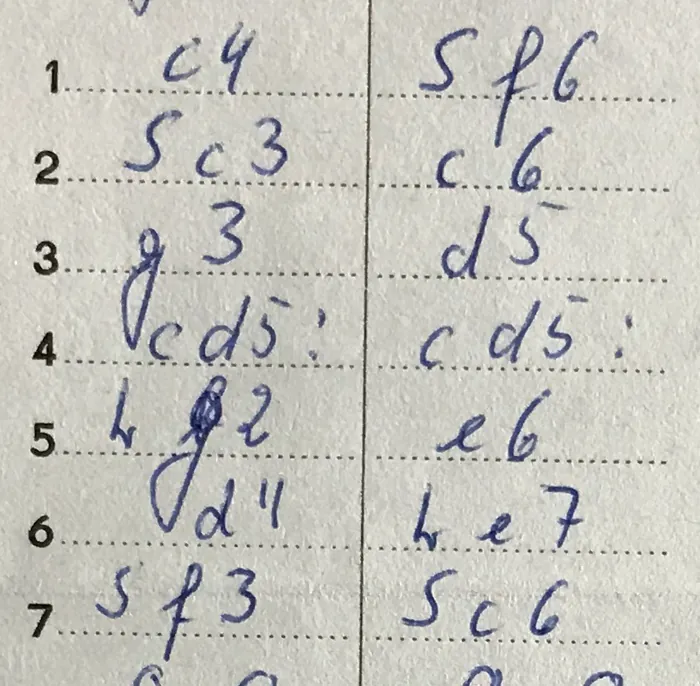
The free PGN validator replays a game move by move, names the first move that is not legal, and cleans up the common formatting slips, without uploading the game. For a deeper look at moving paper games into this format, see convert handwritten scoresheet to PGN and our scoresheet-to-PGN solution.
PGN and FEN: Games Versus Positions
PGN records an entire game from the starting position forward. Its counterpart, FEN (Forsyth-Edwards Notation), records a single board position as one line of text: piece placement, whose turn it is, castling rights, and more. Think of PGN as the full movie and FEN as one freeze-frame. The two work together, and a PGN can even include a [FEN "..."] tag to declare a custom starting position, which is how puzzles and studies that do not begin from the standard setup are stored. For the six FEN fields in detail, see what is FEN. To move between the two, the PGN to FEN converter gives the position after any move, and the FEN to PGN converter turns a position into a game file with that header.
Once you have a .pgn, these browser tools keep the whole workflow on ScanChess:
- PGN Viewer — replay the game move by move and copy any position as FEN.
- PGN Validator — find the first illegal move and download a cleaned seven-tag file.
- PGN to PDF — lay the score out for paper with optional diagrams.
- PGN to GIF — turn a highlight into a short animated clip for chat or social posts.
None of them upload your game; parsing and rendering stay in the browser.
Where Your Own PGN Files Come From
Games played online are already PGN; games played over the board are not, and typing forty move pairs from a scoresheet is where most people give up. That gap is what ScanChess closes: it reads a photo of the sheet, checks each move for legality, and exports the game as a .pgn file that Lichess, Chess.com or any database will open.