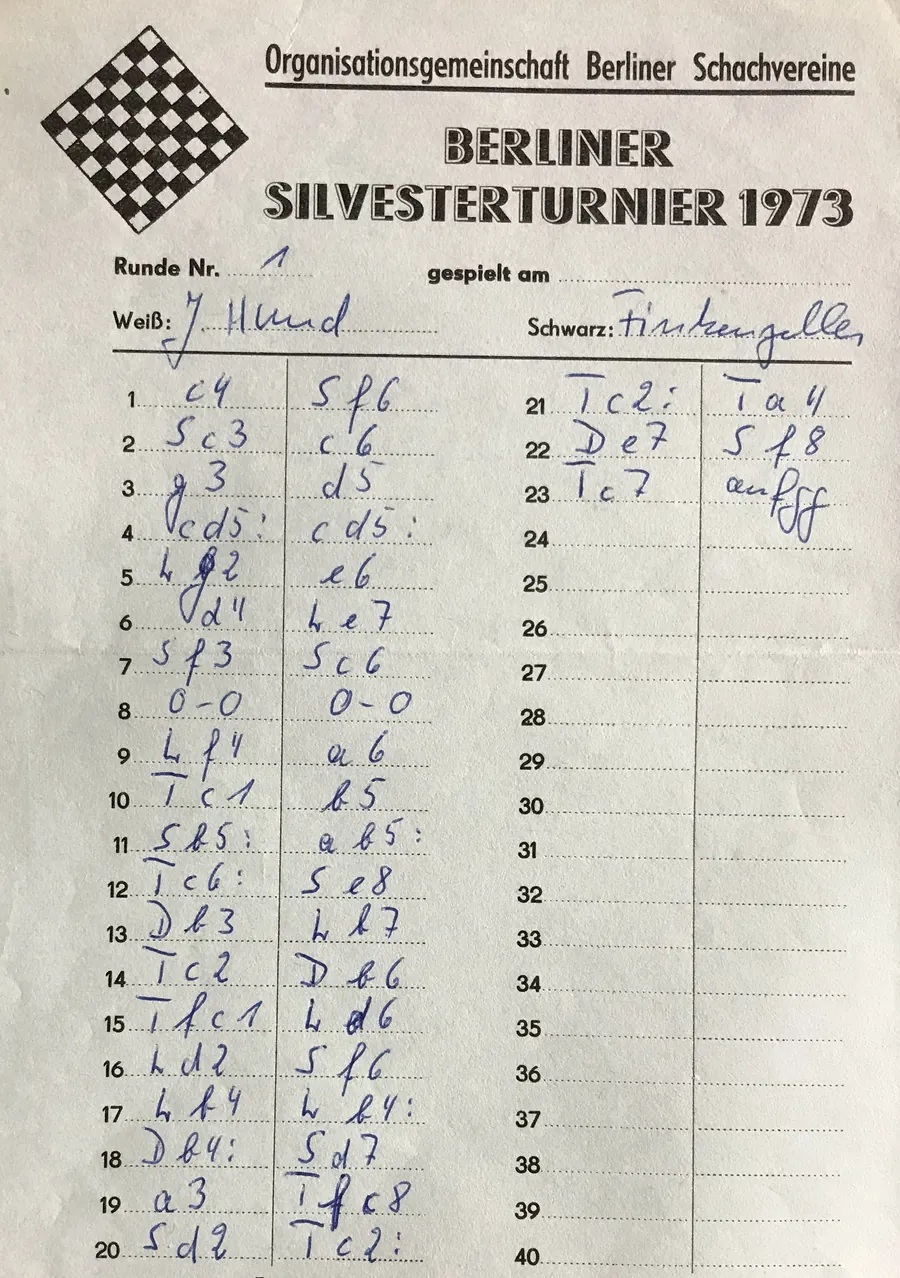

Digitizing one game is easy. Digitizing a round is a different job: forty sheets, eighty sides, names in handwriting that was never meant to be read by a stranger, and a deadline because the games are due on the event's website tonight.
The batch page now does the whole round, and the recent work on it was aimed at one thing: removing the typing. Here is the workflow end to end.
Start With What the Filenames Already Know
Arbiters do not upload forty anonymous photos. They upload a folder called Round 3 holding b1.jpg, b2.jpg, b3.jpg, or files named OpenR3B7p1.jpg straight off the camera roll after a rename.
ScanChess reads that. Round, board, page and section are pulled from the file name and from every folder above it, in any order and any case:
| Name | Read as |
|---|---|
R3B7p2.jpg | round 3, board 7, page 2 |
b7_r3.jpg | round 3, board 7 |
Round 3/Board 7/page 1.jpg | round 3, board 7, page 1 |
Under1600/Round 2/b4.jpg | section Under1600, round 2, board 4 |
round, rnd, rd and r all mean round; board, bd and b all mean board; page, pg and p all mean page. Separators are optional.
Two things fall out of this for free. Pages of the same board are grouped into one game without you flagging anything, so a double-sided sheet photographed as two files becomes one game rather than two half-games. And every game arrives already knowing its round and board, which is what the next step matches on.
If your files are named IMG_4471.jpg, none of this happens and you group the pages by hand with the Same sheet toggle — the batch still works, it just costs you the clicks. Renaming on the laptop before uploading is usually the cheaper minute.
Upload the Pairing List You Already Have
Your pairing program exported a list for this round. Hand it to ScanChess and stop reading names off handwriting altogether.
Four shapes are accepted:
- Delimited text with a header row — comma, semicolon, tab or pipe, whichever the file uses. The parser detects it.
- A PGN roster, the file of empty games with tags that some programs export for the round.
- JSON, if your program or your own script produces it.
- A FIDE TRF file (
.trf, often saved as.txt): the tournament report file Swiss-Manager, Vega, JaVaFo and Tornelo all write, in the TRF16 or TRF26 layout. Names, ratings, titles and FIDE IDs come from the player records, and every round paired so far comes in, the one about to start included. A TRF stores no board numbers, so they are worked out the way FIDE's handling rules recommend a pairing be published (the higher-ranked player's score, then the pair's total, then starting rank), and the import tells you so: compare them with the list on the wall. Byes and forfeits are left out, as there is no sheet to scan.
Columns are keyed to what they mean, not what they are called, because no two pairing programs agree on the wording. White, WhitePlayer, white_name and WName are all the White player. Board, Bo, Table, Tbl and Brd are all the board. Ratings, titles, FIDE IDs, section, result, event, site and date are read the same way when present. A file from a program nobody here has ever seen usually lands on the first try.
You can add several files. Organisers often export one per round, so drop in all of them and they merge.
What Matching Actually Does
With pairings loaded, every scanned game is tied to its pairing, and the page shows you which:
- Round and board first, when the filenames said. This is the strong signal — no name comparison can beat a board number the operator wrote down.
- Player names otherwise, compared with the names the recognizer read off the sheet's header, which is exactly as reliable as the handwriting was.
- Reversed colors are noticed. Players sometimes fill in the sheet from their own point of view. If the names match the pairing with White and Black the other way round, the match still succeeds and the swap is recorded. But a board-number match whose names were too badly read to identify anyone is not allowed to reverse the colors — an unreadable name should never be evidence about who had White.
- One pairing goes to one game. Two sheets cannot claim the same pairing, so a duplicate photo surfaces as an unmatched game instead of quietly overwriting a real one.
The pairing outranks the header. Where the two disagree, the PGN tags come from the pairing file, because a typed pairing list is better evidence about a player's name than the same player's handwriting at move 40.
Two Files Out
When the batch has run, there are two downloads.
The round PGN is every matched game in one file, with Event, Site, Date, Round, Board, White, Black, ratings and titles filled in. This is the file the event's website wants. If a player asks for just their own game, the PGN splitter cuts the round file into one file per game.
The audit CSV is the one that saves you at 11pm. It lists every game with what it matched, how confidently, what disagreed, and what still needs a person to look at it. Rather than re-checking forty games to find the two that went wrong, you open the CSV, sort it, and check the two.
Send the Round to Swiss-Manager, Chess-Results or Tornelo
The event page's export panel, and the batch page once a run is done, have a second round download: for Swiss-Manager / Tornelo. It holds the same games, written the way tournament software imports them. They come in board order, and every game carries Event, Site, Date, White, Black, Result, WhiteElo and BlackElo, with - for an unrated player as the PGN standard asks. The board is written inside the round tag, [Round "3.7"] for round 3 board 7, the form Swiss-Manager and ChessBase use, and again in a Board tag. Comments and variations are left out, and a game with a move that still needs correcting stops just before it with an unfinished result, because one unplayable move makes an importer reject the whole file.
That is the file to upload with the round to Chess-Results, import into Tornelo, or add to the event database in ChessBase. Those tools match games by player name, so keep the pairing file's spellings. Standings stay with the pairing program; to check a tie-break by hand, the chess tiebreak calculator works out Buchholz and Sonneborn-Berger from the crosstable.
Broadcast the Round on Lichess
Switch on Live PGN feed on the event page and each round gets a fixed public address ending in /rounds/3.pgn. In Lichess Broadcast, add the round and give it that address as its PGN source. Lichess keeps polling it, and each game appears as soon as it has been scanned and has no open flags, so spectators can follow the round while you are still photographing the last boards.
The feed holds moves and public tags only, never the photos. Only the member who created the event, or a club owner or admin, can switch it on, and switching it off stops every round address within seconds.
Details the Sheets Don't Carry
Some things are true of every game in the batch and written on none of them. The Shared details fields — event name, venue and date — are attached to every game the batch produces, and are used wherever a sheet doesn't say. Fill them once per round.
Credits, and Running Out Mid-Round
Batch scanning needs an account, because credits are spent per game, not per batch. The page shows the arithmetic before you start: games × credits per game, against your balance.
If the balance runs out partway, games are scanned until it does and the rest are marked as blocked rather than failed. Top up and run them; nothing you already paid for is lost, and nothing is charged twice. There is also a Stop after this game button for when you need the credits back for something else.
Worth Doing First
- Rename on the laptop, not in the app. Ten seconds of batch rename to
R3B1,R3B2… removes every grouping click and every round-and-board entry for the whole round. - Export the pairings before you leave the venue. It is the difference between reading eighty names off handwriting and reading none.
- Photograph the sheets in one sitting, same table, same light. Our photo checklist applies forty times over here — a lighting problem you fix once fixes the whole round.
- Open the audit CSV before you publish. It tells you which two games to look at.
For the longer view on keeping an event's games after the event, see tournament scoresheet archiving. For a single game, the ordinary scan page is still the shortest path.